You can hide the Mascoz interface by using the SPOUT2 plugin. This allows you to broadcast your avatar while keeping your interface private.
What is SPOUT2?
It is software that allows you to output only video frames, excluding the User Interface (UI).
Since OBS does not have a native feature to output video frames without the UI, you must use SPOUT2 for this specific setup.
Download SPOUT2
Download the file OBS_Spout2_Plugin_Install_v1.8.exe from the following link:
MASCOZ Settings
•
Run MASCOZ
•
Go to Studio → Stream Settings
•
Toggle the SPOUT2 switch to ON.
.png&blockId=2df48596-12ba-80a6-b51a-f3b4ca8b488a)
OBS Settings
•
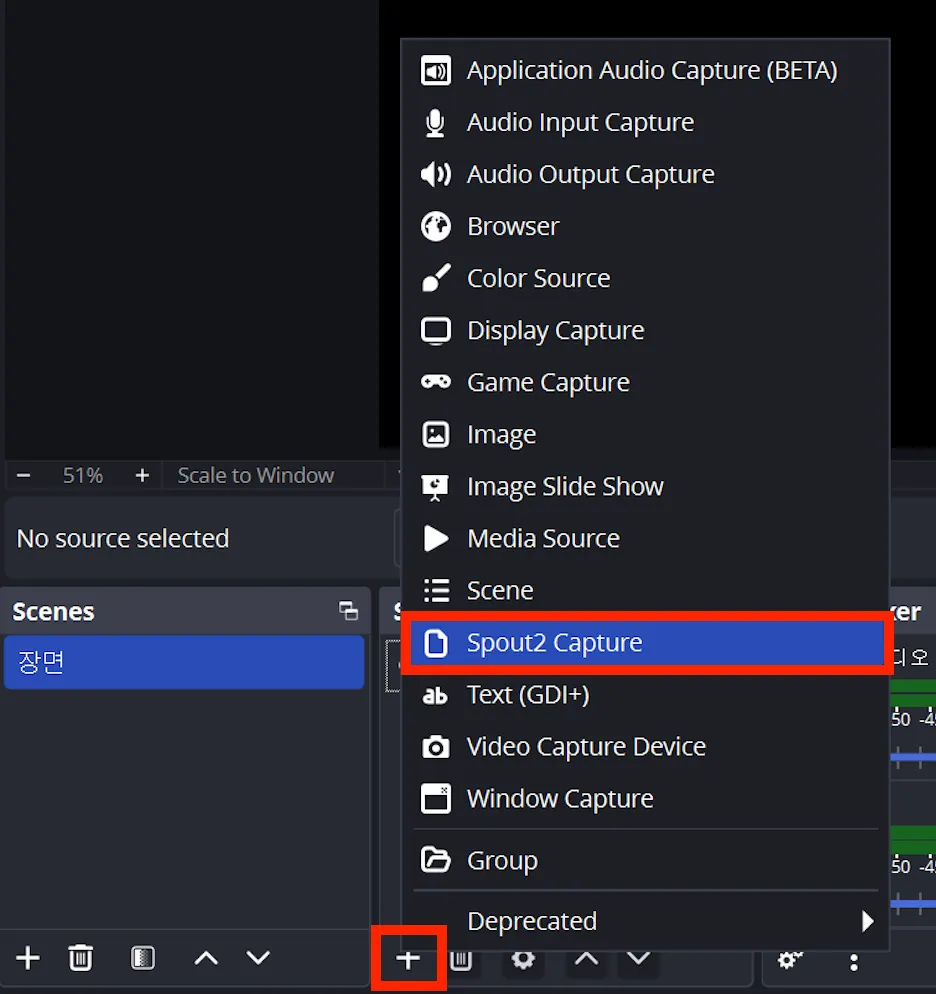
Add a SPOUT2 source to your OBS.
•
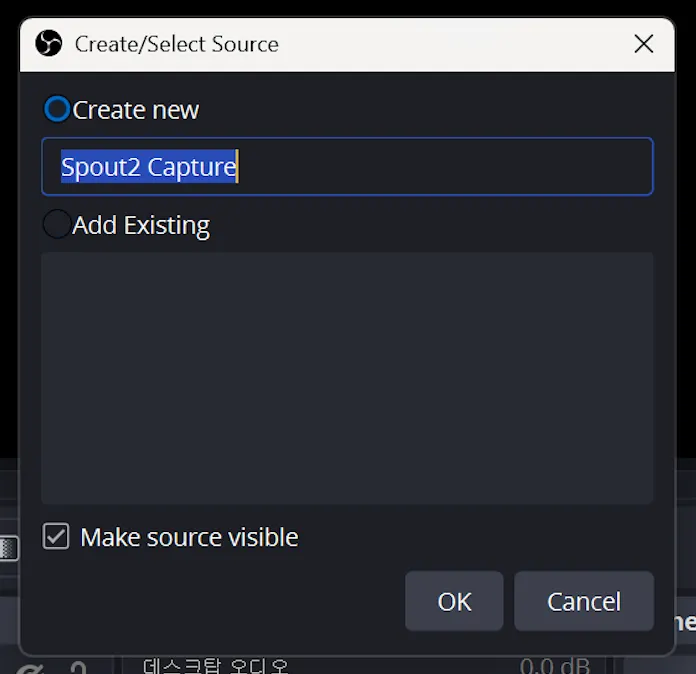
Go to the Source List → Select Spout2 Capture → Click Create Source.
•
Configure the Spout2 Capture properties as follows:
◦
SpoutSenders: Select mascoz or use first available sender.
◦
Composite mode: Select Converted Premultiplied Alpha (legacy).
.png&blockId=2df48596-12ba-804e-a783-d54b85e50612)
You can see that the MASCOZ UI has been hidden with SPOUT2 applied.
.png&blockId=2df48596-12ba-80a1-a23a-ee11b4b23904)
