
Finished creating your Virtual Avatar but feel it looks a bit plain? If you want to add a unique personality but aren't sure where to start with Face Customization, you're in the right place.
We’ve put together this Mascoz Avatar Customization Guide to help you transform an ordinary model into a distinct VTuber character that truly represents you.
You Don’t Have to Start from Scratch: Use Sample Avatars
If avatar face customization feels overwhelming, why not start with a sample avatar?
MASCOZ offers a variety of pre-customized sample avatars with different looks and vibes—all available for free.
With a sample avatar, you can create a polished, great-looking avatar with just a few simple tweaks.
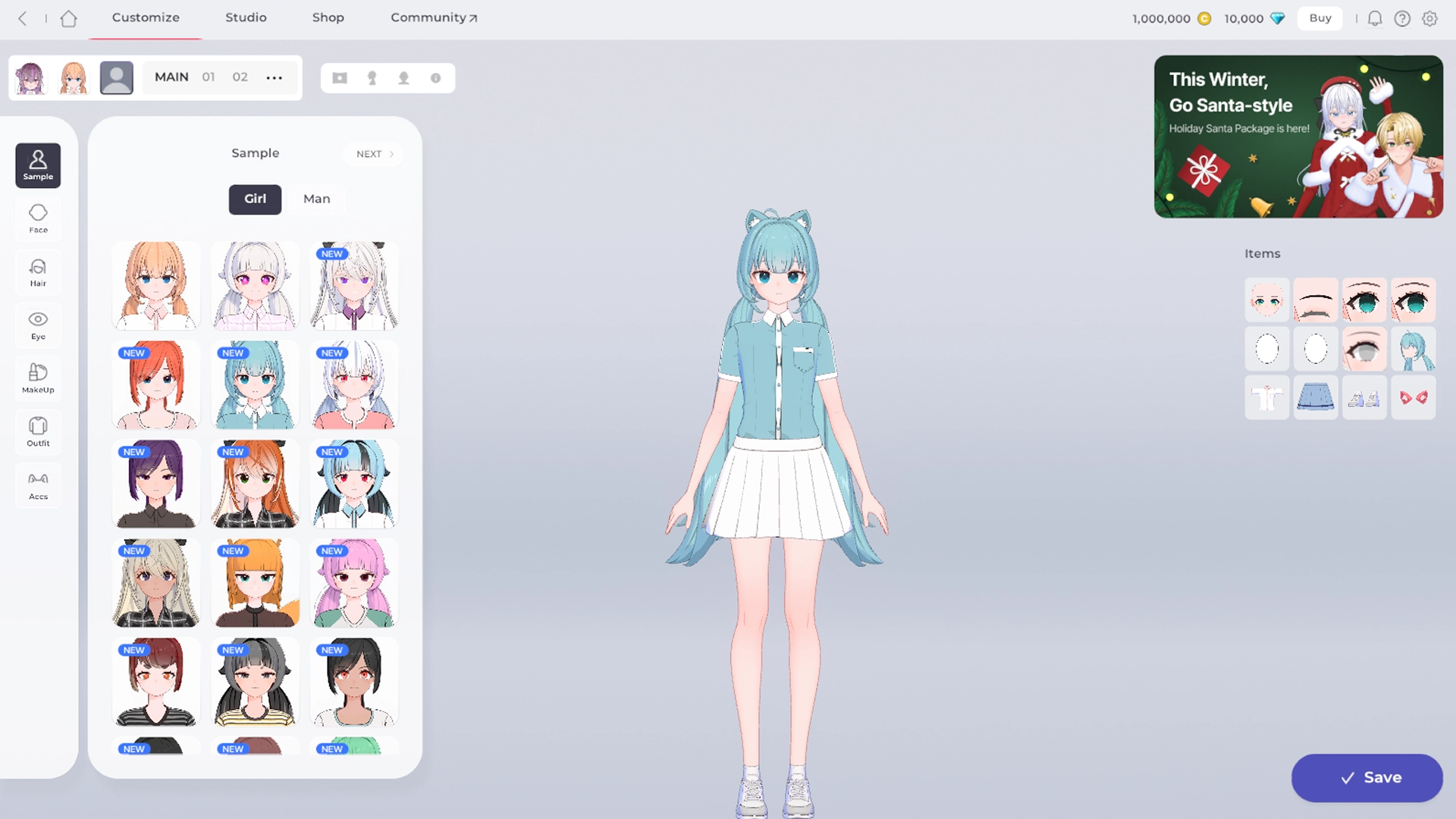
Here’s why using sample avatars is a great idea:
 Quickly compare faces across a wide range of concepts and styles. Easily explore different moods and impressions. Achieve the look you want with just a few small adjustments.
MASCOZ provides sample avatars that look great even as-is—and by simply swapping out items, you can turn them into an avatar that truly feels like your own.
TIP 1: Adjust the Look Based on Age and Personality
Want to go beyond using a sample avatar as-is and create something truly your own?
The first step is deciding what kind of impression you want your avatar to give off.
What’s your avatar’s personality like? Is your avatar young — or more mature?
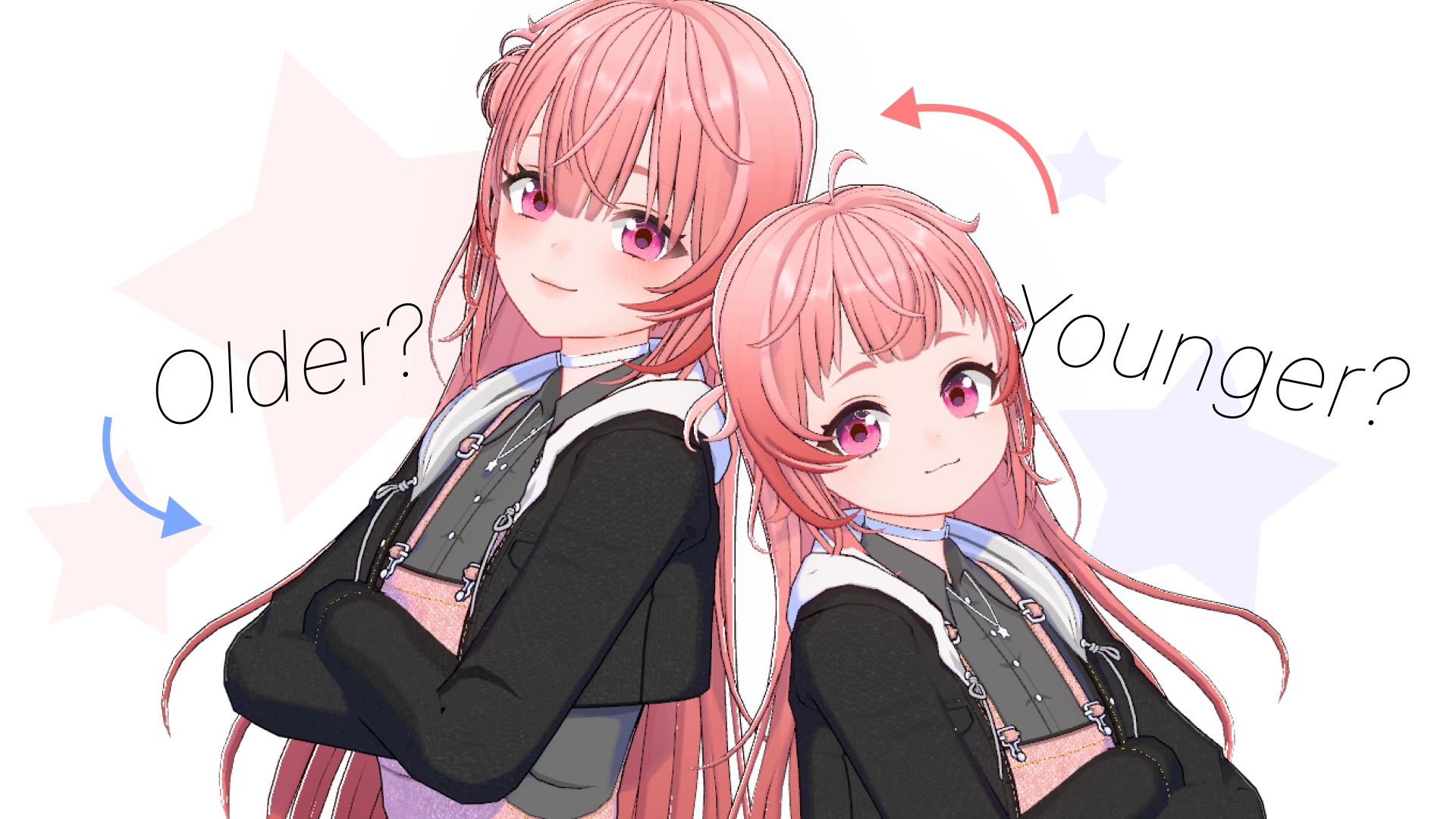
The two factors that have the biggest impact on an avatar’s facial appearance are age and personality. Here’s a simple way to think about how each one affects customization!
Age•
Older:
◦
Eye size
◦
Space between eyes
◦
Eye Position
◦
Face length
•
Younger:
◦
Eye size
◦
Space between eyes
◦
Eye Position
◦
Face length
Personality•
Sharp or prickly:
◦
Eye tilt
◦
Mouth corners
◦
Eyebrow angle
•
Kind or gentle:
◦
Eye tilt
◦
Mouth corners
◦
Eyebrow angle
•
Stoic or expressionless:
◦
Eye tilt
◦
Mouth corners
◦
Eyebrow angle
Even applying these simple rules can go a long way in creating the look you want.
TIP 2: Sometimes Going Against the Rules Works Too!
If you have a unique character concept or backstory, try flipping the formula instead.
Maybe your character looks young but is actually hundreds of years old—or has a shy personality with a sharp, unfriendly look.
Feel free to create fun, unexpected contrasts that make your avatar stand out.
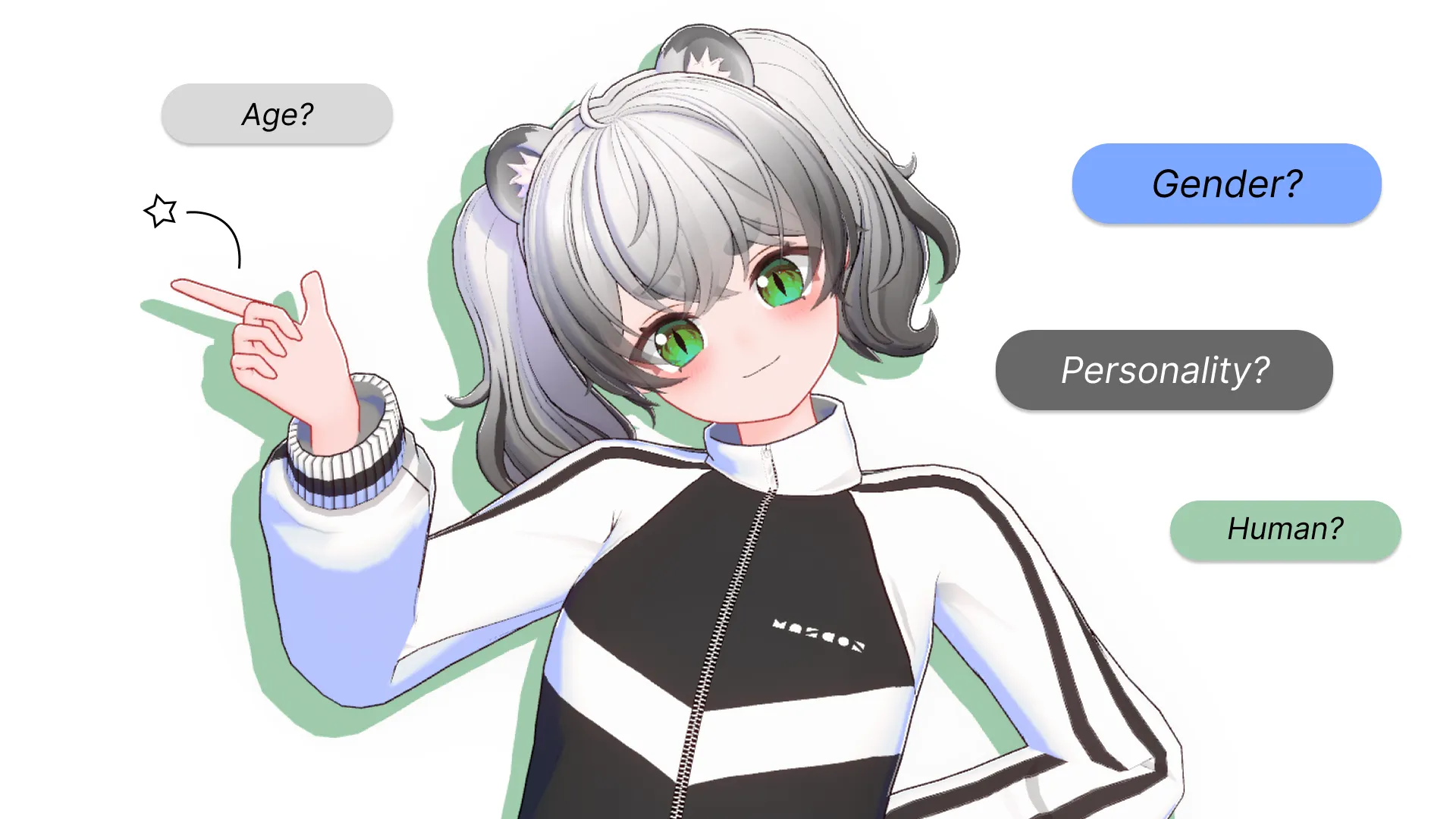
This is actually one of the biggest joys of creating a virtual avatar!
If your avatar represents you, it can look completely different from your real face. And if it’s a character you’ve created, you can customize it to perfectly match its story and world.
Many people are especially drawn to this kind of “gap moe”—the charm that comes from unexpected contrasts.
Let your imagination run free and give your avatar a personality and backstory all its own!
TIP 3: Quality Comes Down to the Final Details
Now that you know the basic “formulas” that shape an avatar’s look, it’s time to start customizing for real. With MASCOZ, you can fine-tune details easily using simple sliders—no complex tools required.
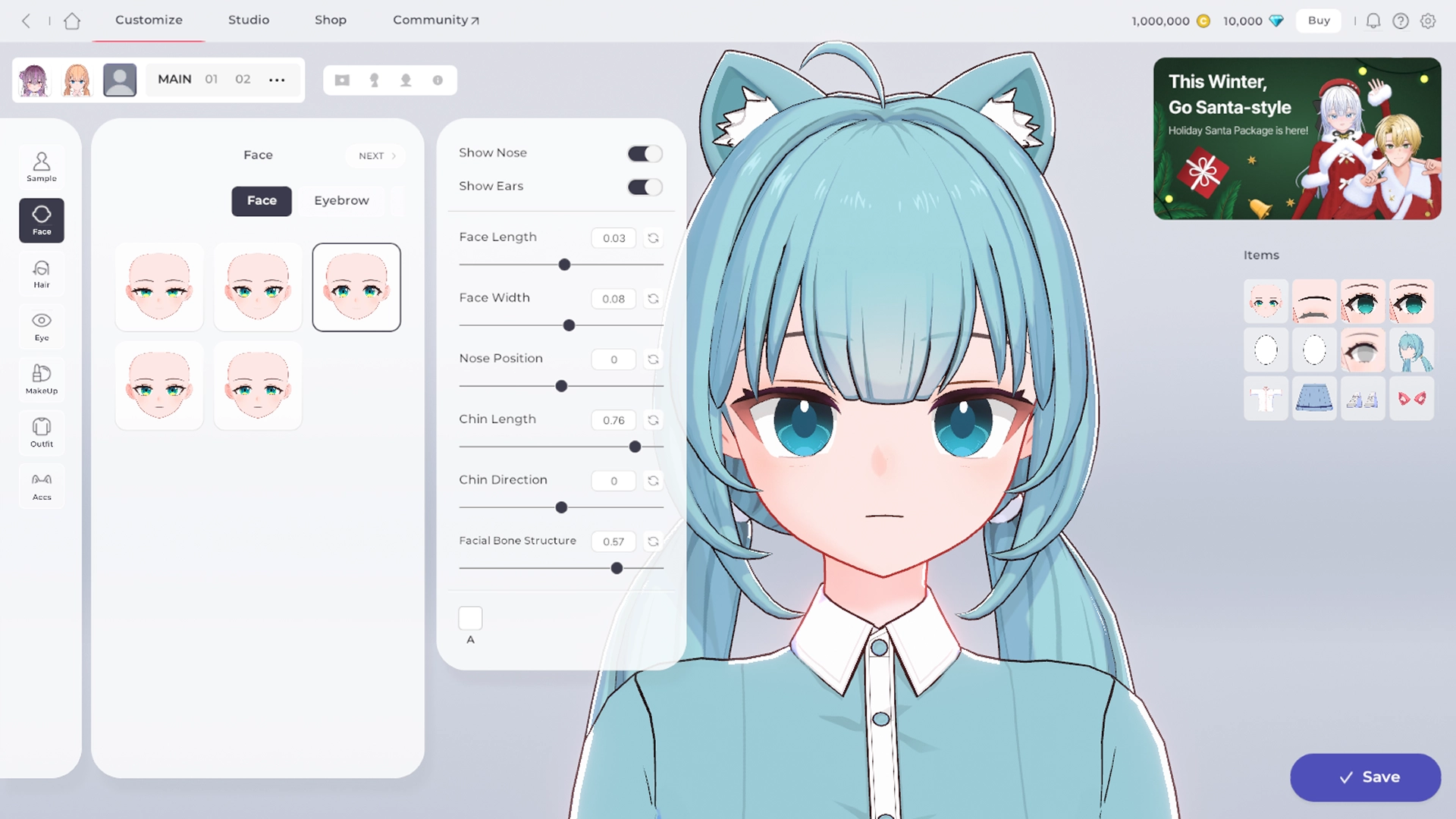
In “Avatar Customizing,” you can adjust the face and eye shape to apply the formulas we covered above. Shall we try creating a young girl with a sharp, tsundere personality together?
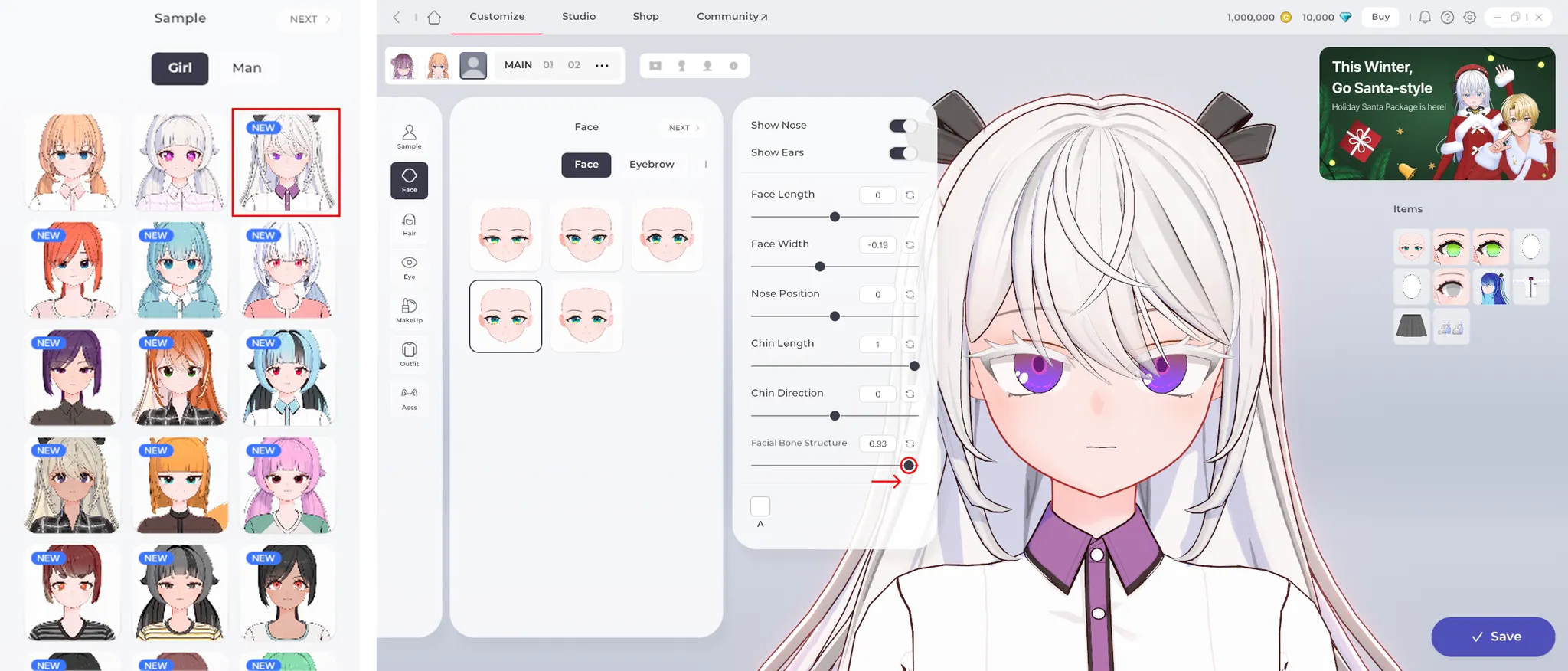
Start by choosing a sample avatar with upturned eyes to give a sharper impression, then make small adjustments to refine the look.
The “Facial Structure” option is especially useful for adjusting age—move the slider to the right to make the avatar look younger, and to the left to make it appear more mature.
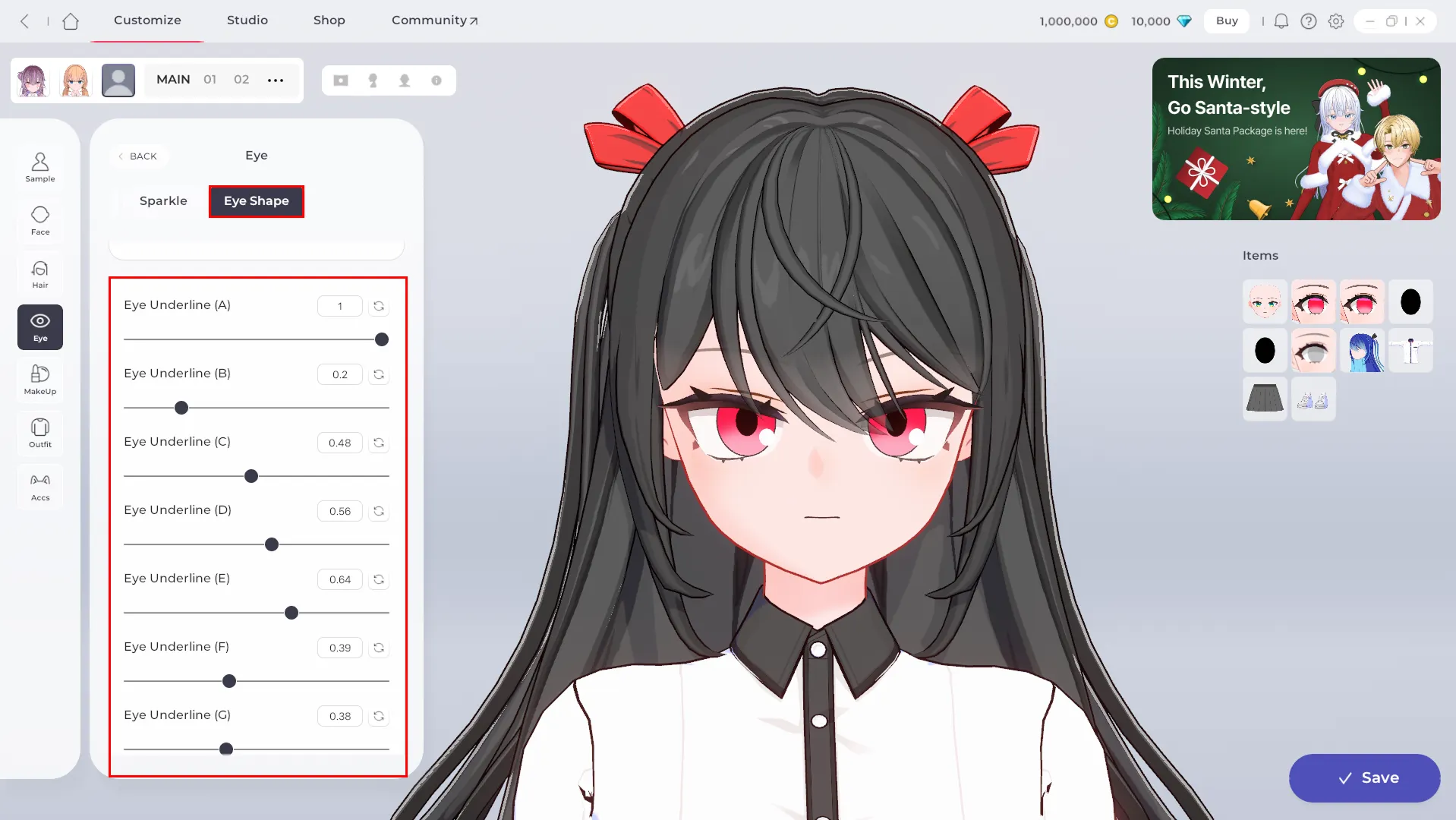
If you want more detailed customization, try adjusting “Eye Shape” under the “Eye” category.
MASCOZ offers over 20 fine-tuning options, giving you the freedom to customize your avatar exactly the way you want.
Of course, you don’t have to use every single setting—but the more care you put in, the more your avatar’s unique personality will shine through.
Your Avatar Is Almost Complete—Now Add Your Vibe
You’ve now learned everything you need to know about avatar face customization. Even this alone is enough to move past that “something feels plain” look.
But in reality, what truly transforms an avatar’s impression is styling.
A single change in hairstyle or makeup can completely shift the mood.
Now that the foundation is set, why not take it a step further and bring your avatar to life with styling?