1. What is Interaction?
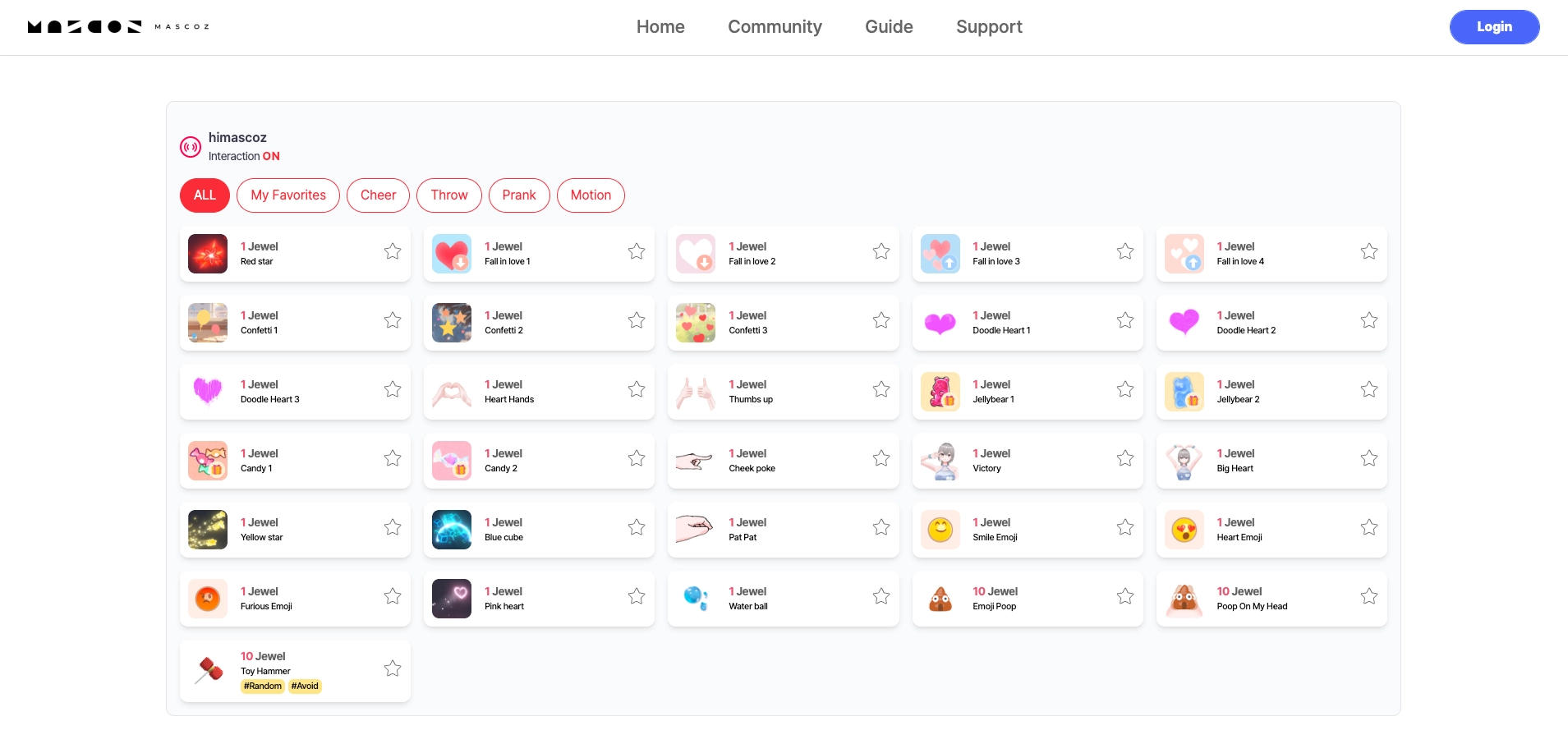
Interaction is a feature that allows MASCOZ users to engage with viewers in real time during a live stream.
Viewers can:
•
Send items such as hearts, stars, or toy hammers
•
Trigger specific poses or actions from the VTuber
These interactions can be used as part of a single live stream content experience.
2. How to Enable Interaction
1.
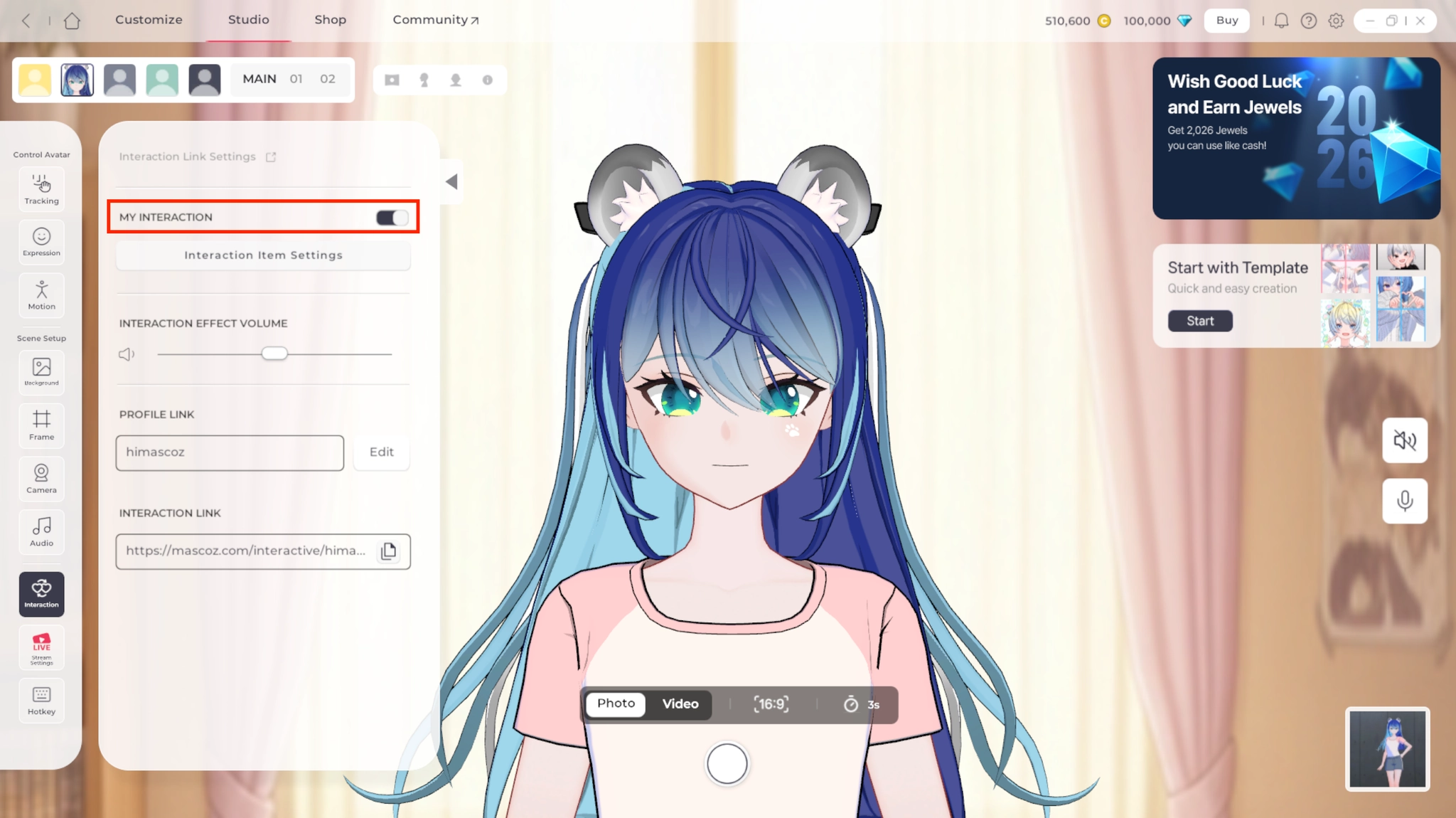
In Studio, click on Interaction.
2.
Use the ON/OFF toggle to enable or disable the interaction feature.
3.
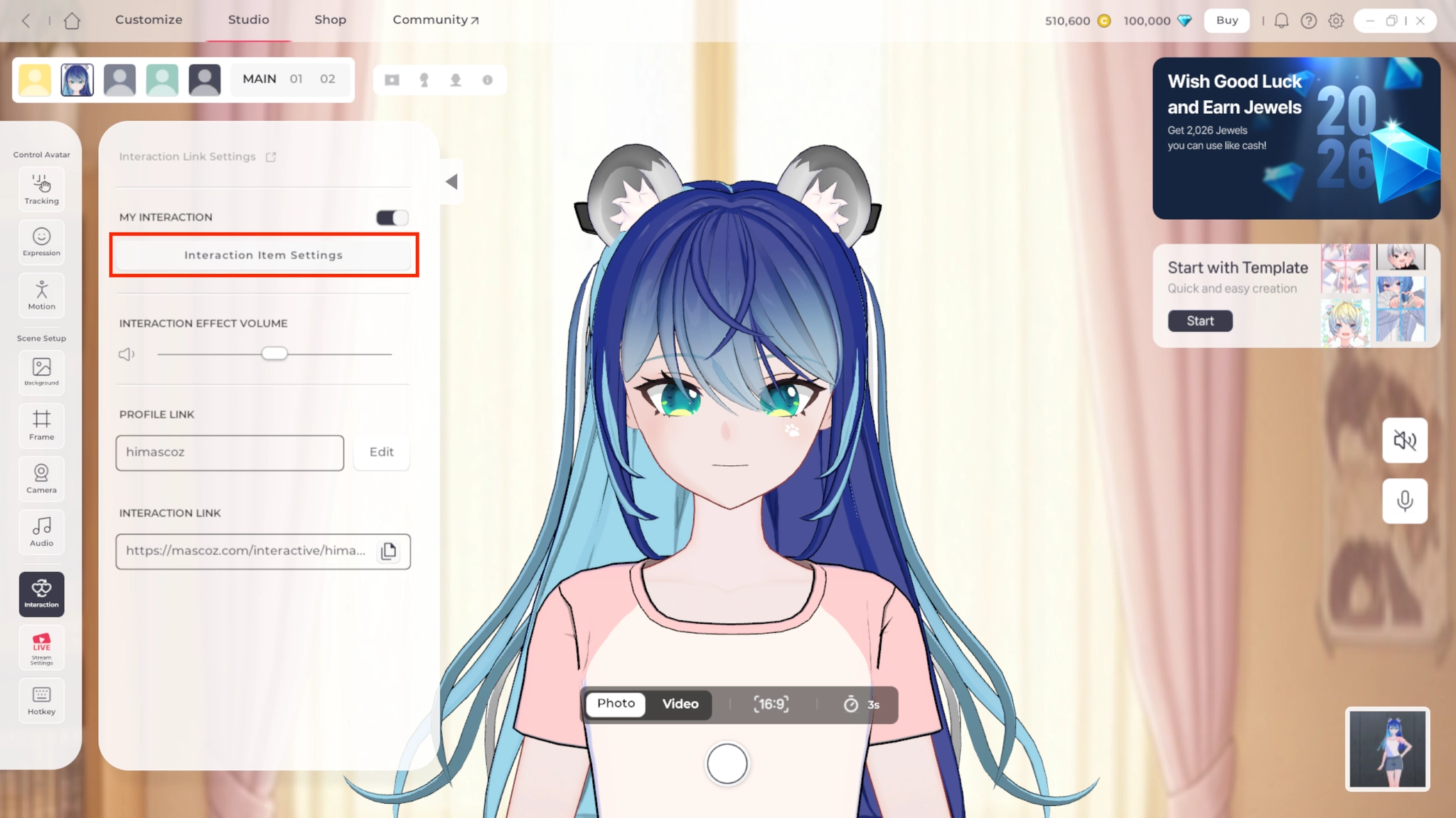
Through Interaction Item Settings, you can:
a.
Enable or disable individual interaction items
b.
Set points(Jewels) required for each item
c.
Preview interaction effects in advance

What are Item Points?
Item points refer to the amount of in-game currency(Jewel) that viewers must spend to use a specific interaction item.
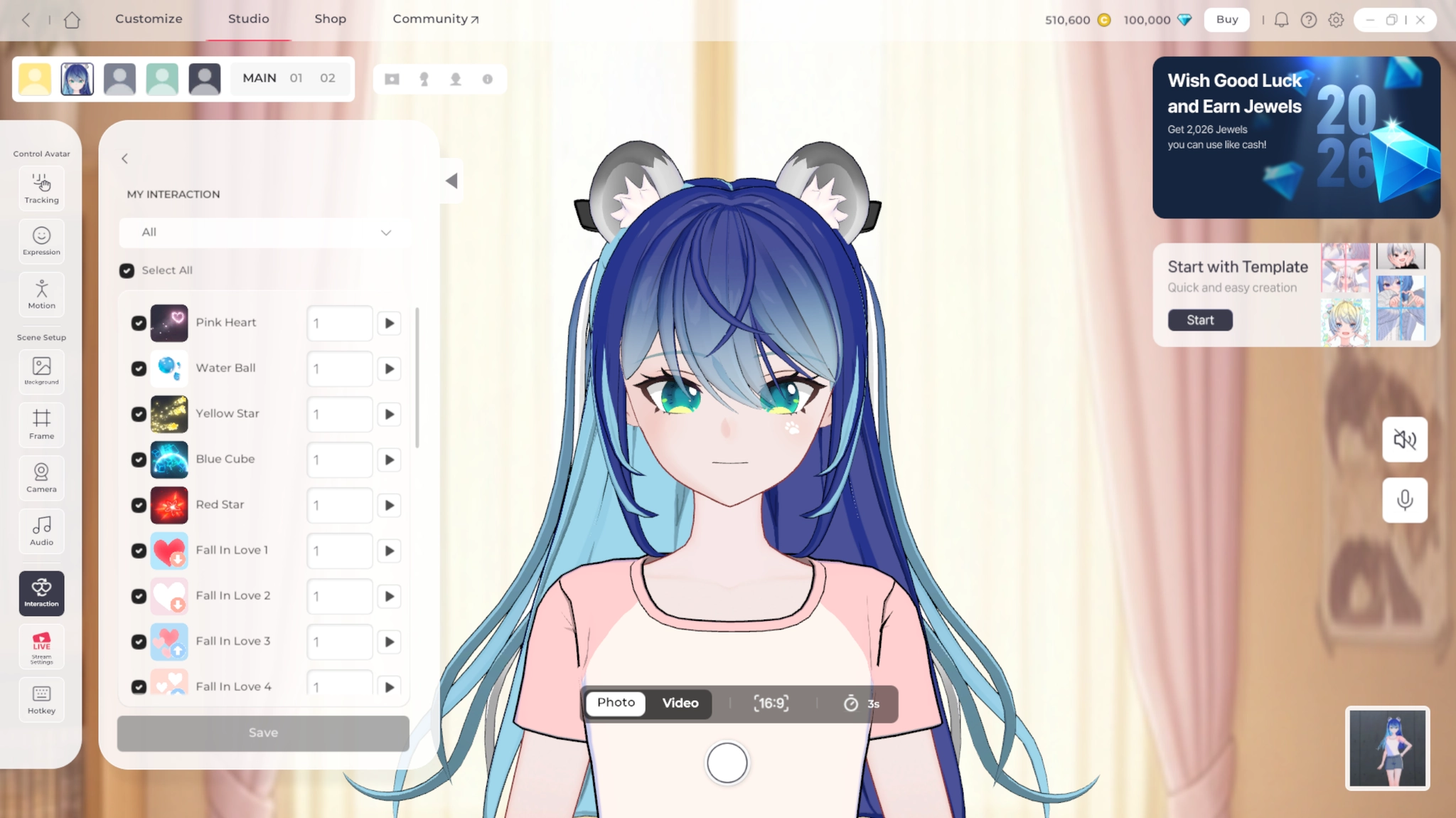
4.
Go to Profile Link Settings and generate your unique interaction link.
5.
Copy the link and share it with your viewers.
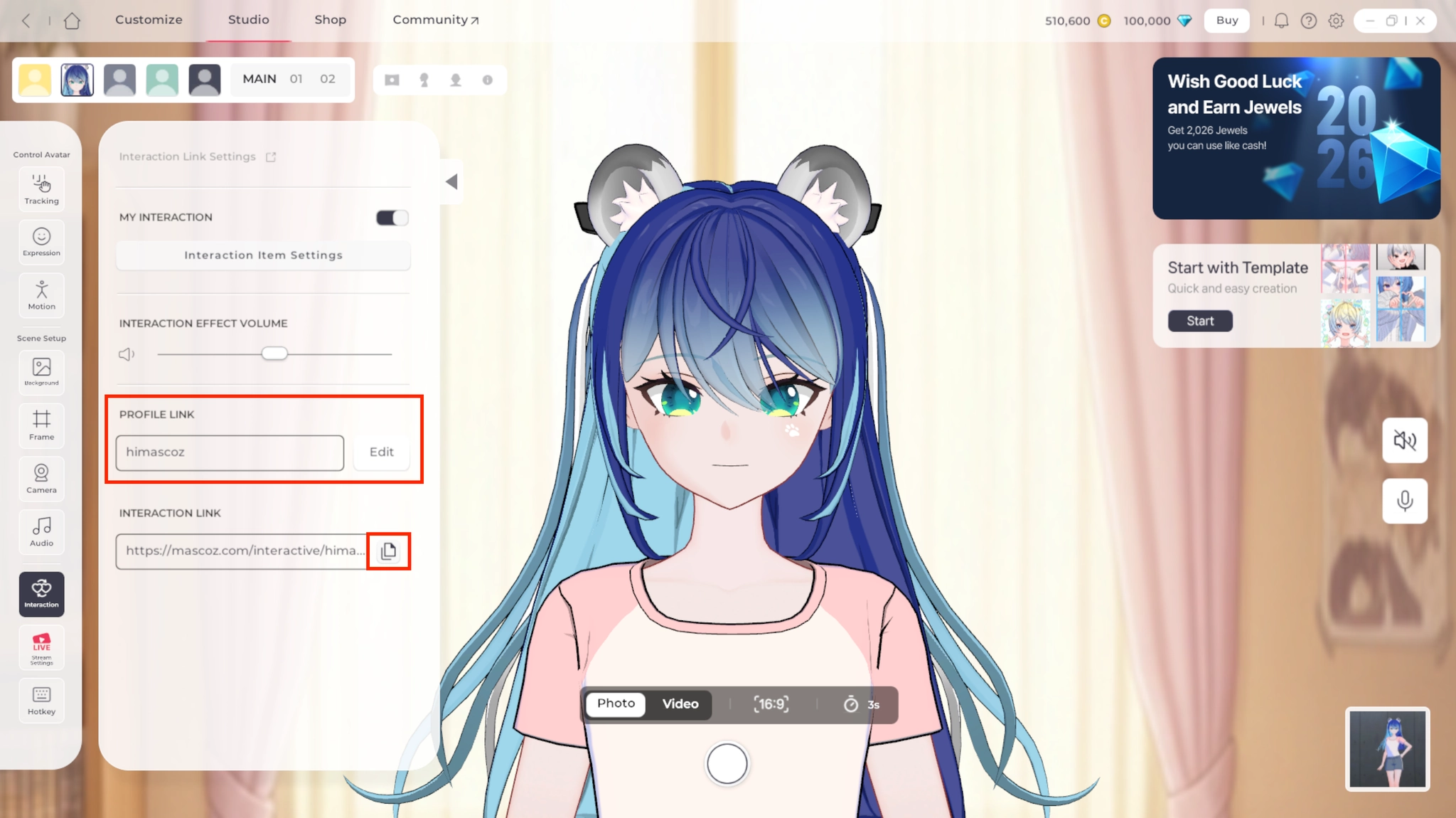
6.
Interaction features are only available during a live stream. Make sure to click Stream in the LIVE settings before using interactions.
3. How Viewers Use Interaction
1.
Viewers access the interaction page via the link shared by the MASCOZ user.
2.
They select the interaction item they want to use.
3.
Using an interaction item consumes Jewels.